Flix IPTV is designed to provide a simple way to organize and watch television content through compatible Smart TVs and streaming devices. Its straightforward interface makes it easier for users to browse channels, switch between different categories, and manage their available playlists without unnecessary complications.
One of the main advantages of using a dedicated IPTV player is the flexibility it provides. Instead of depending on a single type of television hardware, users can enjoy their playlists on supported devices and choose the screen that best suits their viewing habits. This can be particularly useful for households where different family members have different entertainment preferences.
Before installing any IPTV player, it is important to make sure that your television or streaming device is compatible with the application. Users should also check that their IPTV subscription provides valid playlist information and that their internet connection is stable enough for the desired video quality.
Here are the steps to install Flix IPTV on your Android TV/TV Box:
- Go to the Settings on your Android TV/TV Box.

- Click on “Security & restrictions.”

- Tap on “Unknown sources.”

- Choose Chrome as the browser to enable this option. This will allow you to install apps from unknown sources using Chrome.

- Open the Chrome browser.

following URL : Télécharger Flix IPTV 3.8 APK pour Android Gratuit
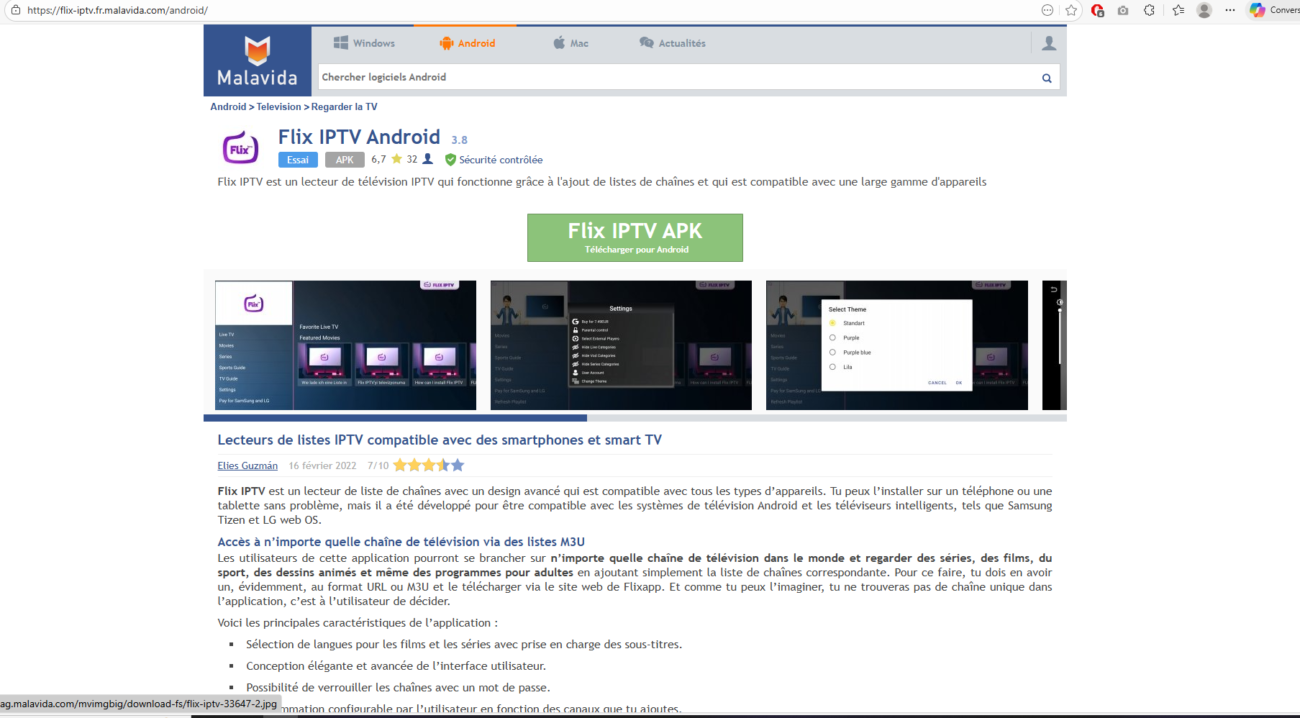
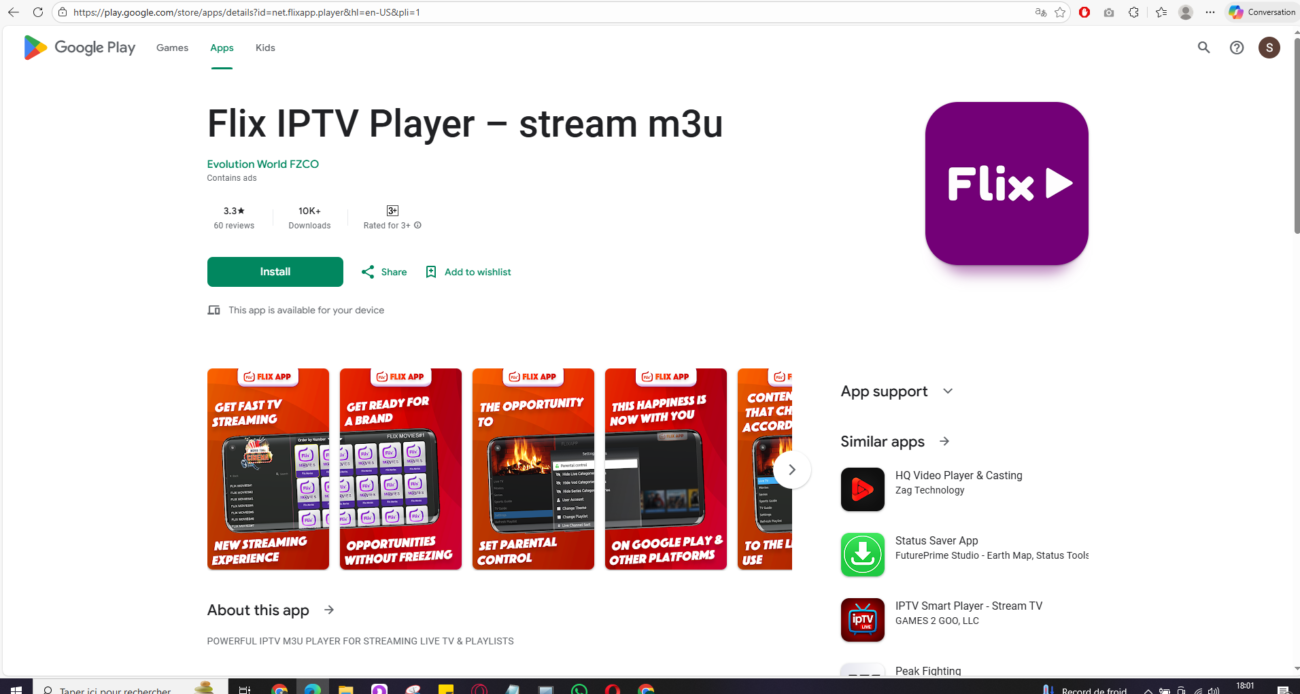
- Or Enter the following URL: Flix IPTV Player – stream m3u – Apps on Google Play click install
- Once the download is complete, click on the three-dot icon in the top-right corner of the browser. Then click on Download.

- Select the downloaded Flix IPTV APK file and click Install.

- Once the installation is complete, you will see the MAC address of your Android device on the screen.

By following these steps, you have successfully installed Flix IPTV on your Android TV/TV Box. Next, I will continue to guide you on how to upload playlists and activate Flix IPTV.
How to Improve Your Flix IPTV Streaming Experience
A good IPTV player is only one part of a smooth streaming setup. Internet performance, device hardware, and the quality of the supplied stream can all affect playback.
For the best possible experience, consider the following tips:
- Use a stable broadband connection.
- Connect your Smart TV through Ethernet when possible.
- Keep your television software updated.
- Keep the IPTV application updated.
- Close unnecessary applications running in the background.
- Restart your device if playback becomes slow.
- Use a suitable video quality for your available internet speed.
A wired connection can be especially useful when watching high-quality content because it may provide a more consistent connection than a weak Wi-Fi signal. If several devices are using the same network at the same time, additional bandwidth may also be necessary.
Choose Your IPTV Finland Plan
Enjoy over 25,000+ Live TV Channels, 140,000+ Movies & TV Shows, premium sports, and ultra-fast 4K streaming with instant activation.
VIEW SUBSCRIPTION PLANS →✔ Instant Activation ✔ Secure Payment ✔ 24/7 Support
Why Choose a Dedicated IPTV Player?
Dedicated IPTV applications can make internet television easier to manage by bringing playlists, channels, categories, and playback controls together in one interface.
For viewers who regularly watch live television, having an organized channel list can save time. Instead of searching for individual streams every time they want to watch something, users can keep their available content organized and quickly access their preferred categories.
This type of setup can also be useful for sports fans, movie lovers, and families who use the same television for different types of entertainment. A clean interface and responsive navigation can make everyday viewing much more convenient.
What to Check Before Using an IPTV Application
Before starting, users should check several important points. First, confirm that the application is compatible with the device. Second, make sure the IPTV subscription or playlist is active and correctly configured. Finally, check the internet connection before troubleshooting the application itself.
It is also important to use legitimate content and services. An IPTV player is generally a playback and organization tool; the availability and legality of channels depend on the content provider and the user’s subscription.
Taking a few minutes to prepare the device and network can prevent many common streaming problems and create a smoother viewing experience from the beginning.